



home, turning, wood, cad, contact, links, blog, disclaimer, about, site_map designed with Serif webplus, © copyright 2005 -




Simple Open Profiles, -
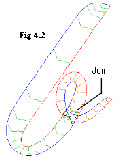
In some cases it is not necessary to have a closed ‘solid’ object, a mirrored open ‘sheet’ will do.
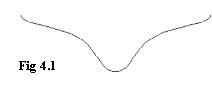
The Profile was drawn as a 2D open spline, Fig 4.1The ref point is then relocated to the vertex and then ‘N’ snapped to the guideline (red) once they are all in position, they are re-
The beauty of this method is speed and ease of editing, having a vertex makes relocating ref point a snip, and lofting can sometimes be more accurate than using a solid, by that I mean less kinks or twists.
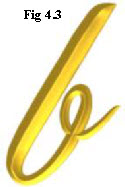
These can look just as good and sometimes loft better than a solid, one can still do boolean add if its necessary to join two bits together, and if a solid is found to be needed later it might -
Problem, -
Cause -
Solution, -

Simple Profiles 2 Editing, -
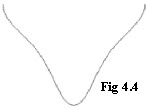
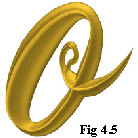
The object was done using an open spline Fig 4.4, and the method described previously, it actually lofted fine, but I decided to a change the shape, one method would be to redraw the profile and replace the existing ones, but as it lofted pretty well, I decided not to disturb their position, Ok I’m being lazy, so,
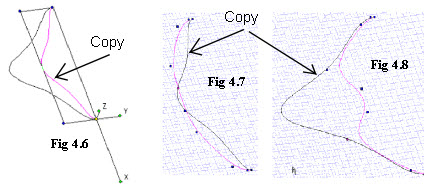
The first thing was to select all the profiles which needed altering, then make a copy, group it, and put the copy on its own layer, Select the copy and move its ref point to a back vertex, the whole copy was then scaled in height by 50% Fig 4.6, in one direction only, (Y = 0.5 in this case), Next each profile needed altering, in node edit mode, (with grid and ortho snap on), move the two centre nodes of the original profile back to touch the copy, as Fig 4.7, Its not necessary to use a snap or SEKE just place by eye, I use the grid purely as a visual indication, Next select the group of copies, check ref point is ok, an re-

Simple Profiles 2 Editing continued, -
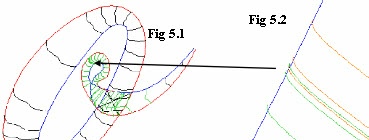
The result is shown in Fig 5.1 .
Whilst this method may seen cumbersome, there are no problems with alignment, and actually only takes a few minutes, to alter the whole lot
The problem of self intersecting with the ‘green’ profiles is overcome by lofting in two pieces, either overlap or single start profile for both sides Fig 5.2,.

| turning a to b |
| turning c |
| turning d to g |
| turning h to l |
| turning m to o |
| turning p to r |
| turning s |
| turning t to z |
| turbocad drawings |
| turbocad_vehicles |
| turbocad Gas |
| Turbocad Fun |
| tc_animations |
| tc_anaglyph |
| turbocad topics |
| turbocad program details |
| Woods |
| blog |
| disclaimer |
| about me |
| serif related |